How to Create Custom Field Templates in Oracle Visual Builder Studio
When developing Redwood applications in Oracle Visual Builder Studio, custom fields are often created without predefined semantic types (such as Website or Email). As a result, validation rules and display behaviour must be configured explicitly.
In these situations, Field Templates help define specific semantic types, enabling you to leverage built-in data validations and ensure the data remains organised and consistent. At the same time, they enhance the user experience by making the application more intuitive and user-friendly.
This guide provides a step-by-step approach to creating Field Templates in Oracle Visual Builder Studio.
Step-by-Step Guide to Creating Field Templates
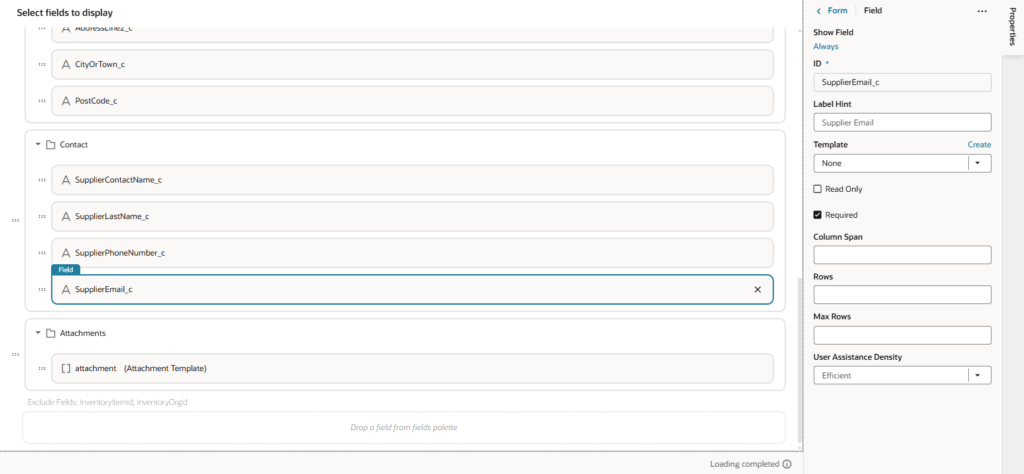
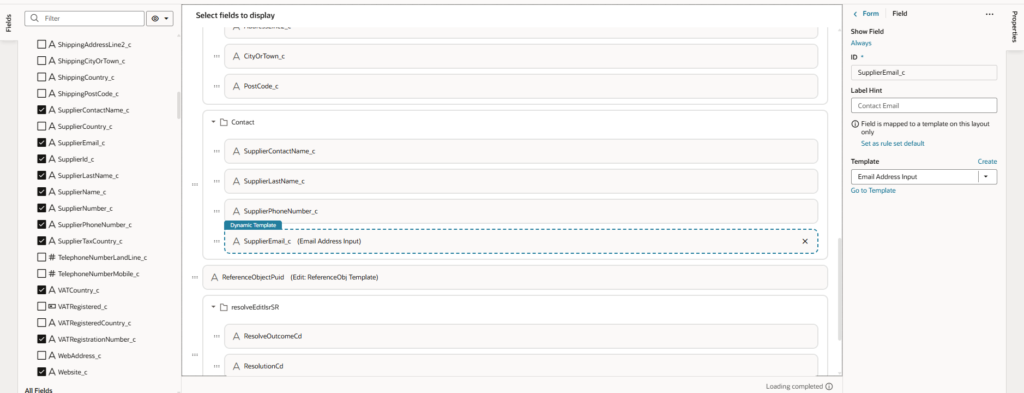
Step 1 : Select the Field
Locate and select the field you want on the form layout.
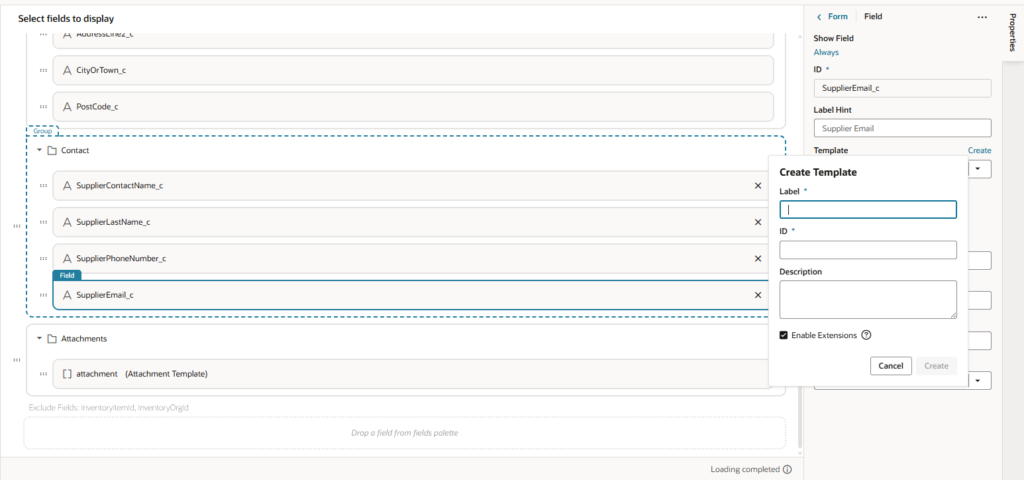
Step 2 : Create a Template from Field Properties
Click Create Template from the properties panel.
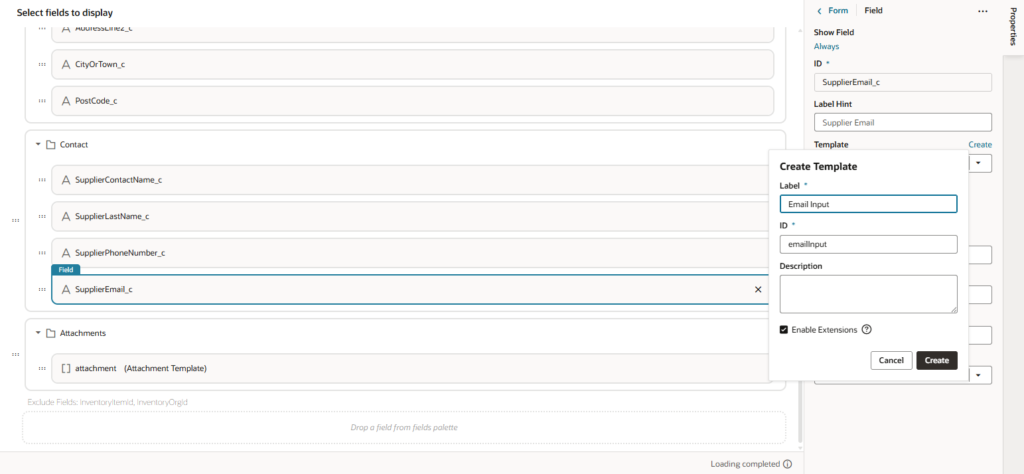
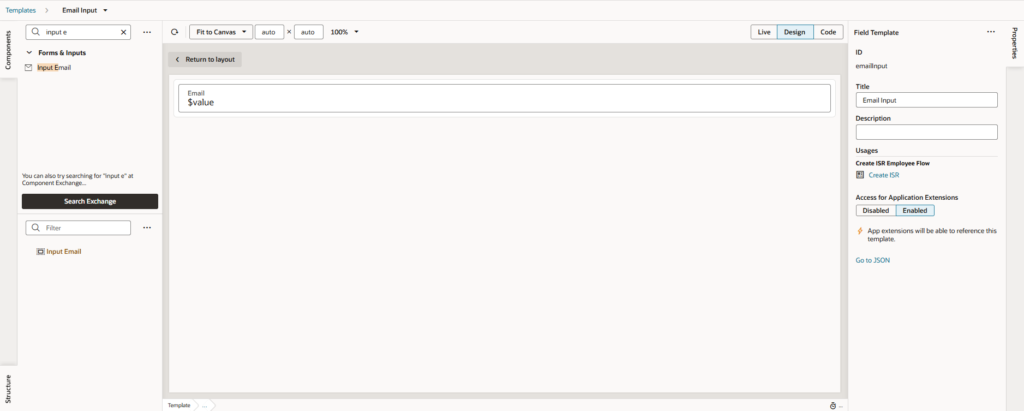
Step 3: Label the Template and Save
Enter a clear, meaningful name for your template (e.g., Email Input, Website Input).
Click Create to finalize.
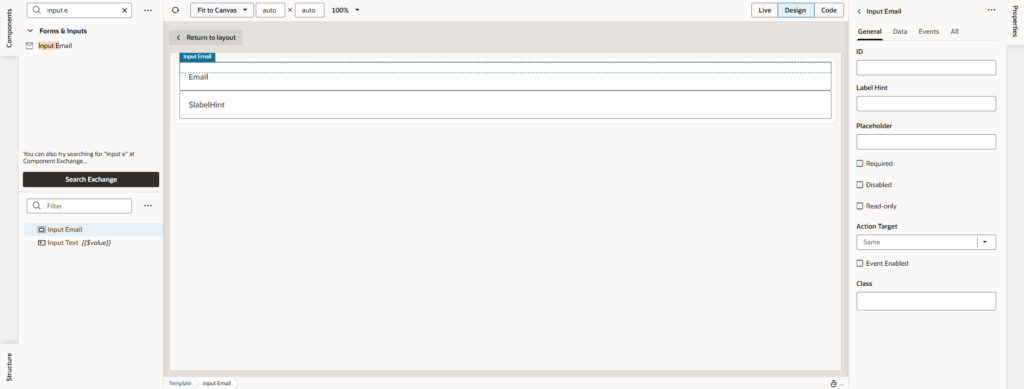
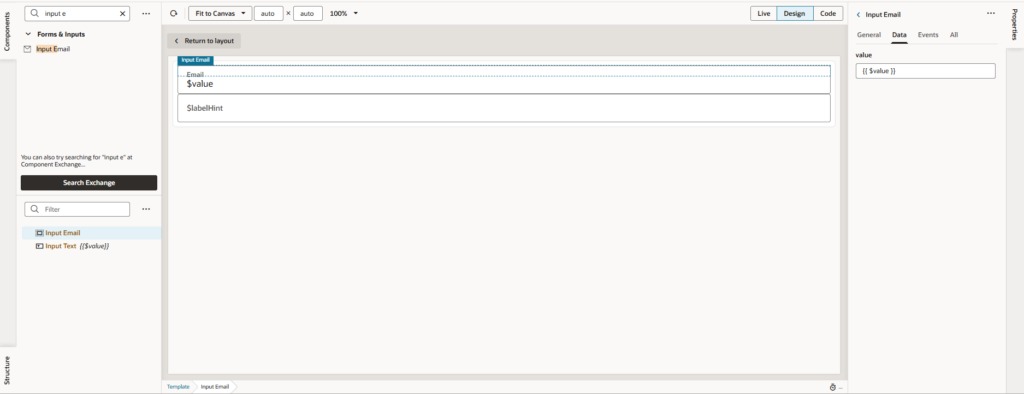
Step 4 : Add the Appropriate Component
In the template structure, add the appropriate component (e.g., Input Email for email fields).
Step 5: Bind value to the field data
Assign {{$value}} to the component value to bind the field data.
Step 6 : Remove the Default Component
Remove the generic input text component from the template to avoid duplication.
Step 7: Return to Your Layout
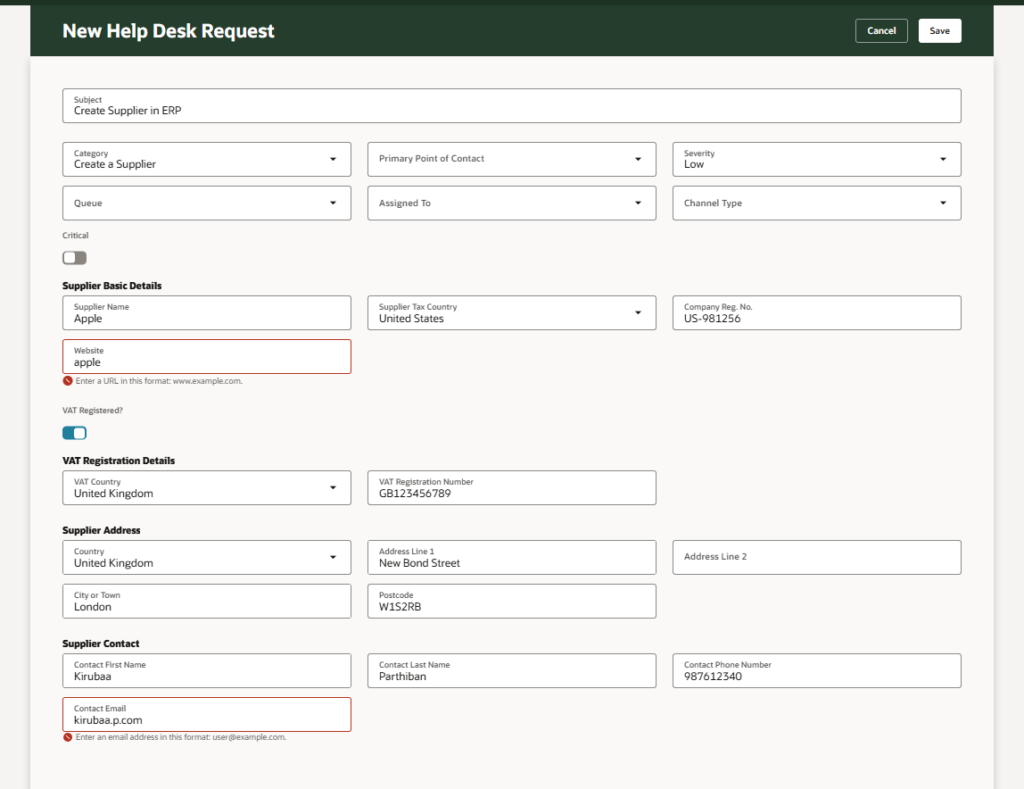
Go back to your form layout. Your field now behaves with the proper type, improving data entry and validation.
Step 8: Look at the UI
Visit our Events page for upcoming Oracle Fusion Cloud sessions and live demos.
Kirubaa is an Oracle Certified Cloud Applications Expert specialising in Oracle Redwood application development within Oracle Fusion Cloud.
She has experience in delivering customer service, employee support, and supplier management applications in Redwood design. She also leads Classic to Redwood transitions across Fusion HCM and SCM.