Oracle Visual Builder Studio allows you to configure data validation rules on Oracle Redwood HCM pages — validating information entered by users before they complete a transaction. You can choose to display a warning message or prevent the user from completing the action entirely, depending on your requirement.
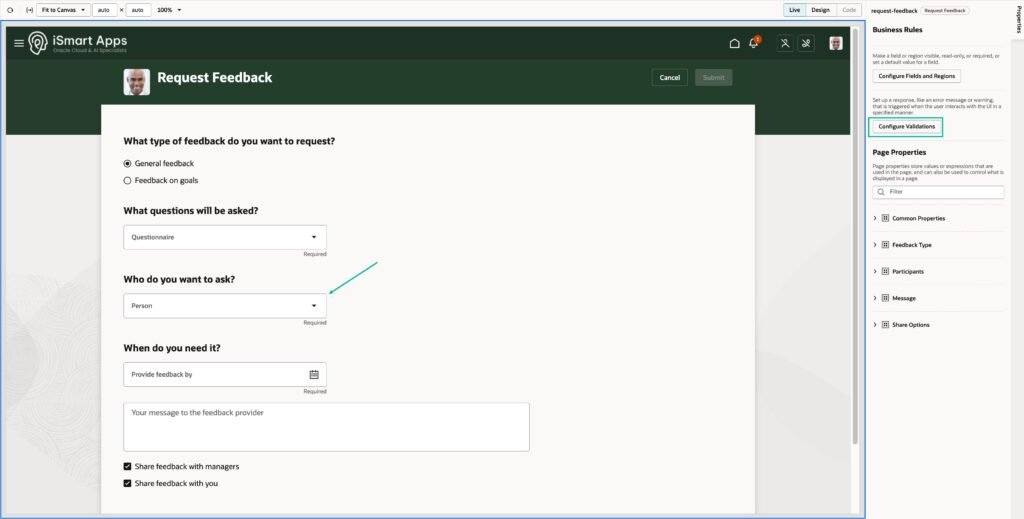
This applies across Oracle Redwood HCM pages. In this example, we configure a validation rule on the Request for Feedback page.
An Example
Restrict which individuals employees can request feedback from. You may want to prevent employees from requesting feedback from top-level executives, limiting selections to line managers, peers and colleagues at or below their level. You can configure a data validation rule to handle this.
Step 1 — Open the Page and Configure Validations
Open the Request forFeedback page in Visual Builder Studio and click Configure Validations.
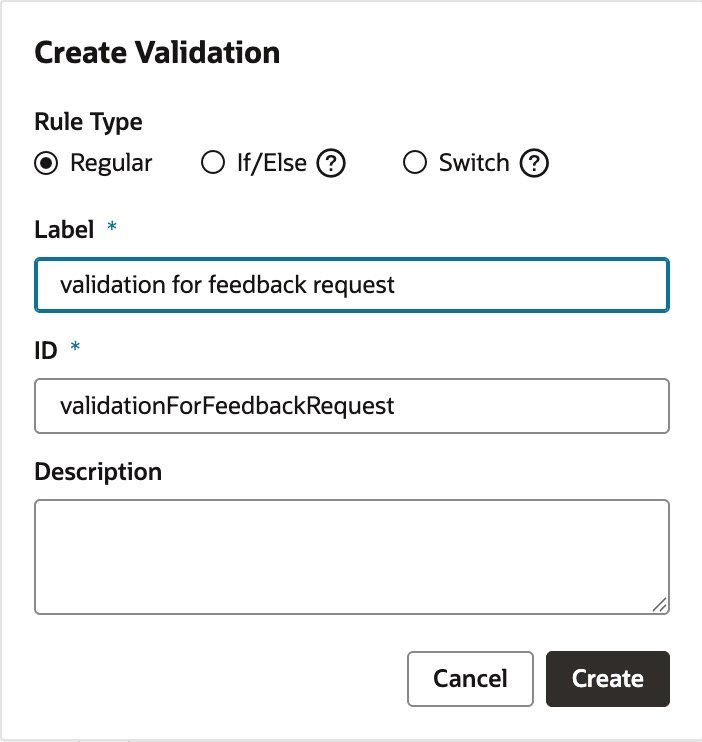
Step 2 — Create a New Validation Rule
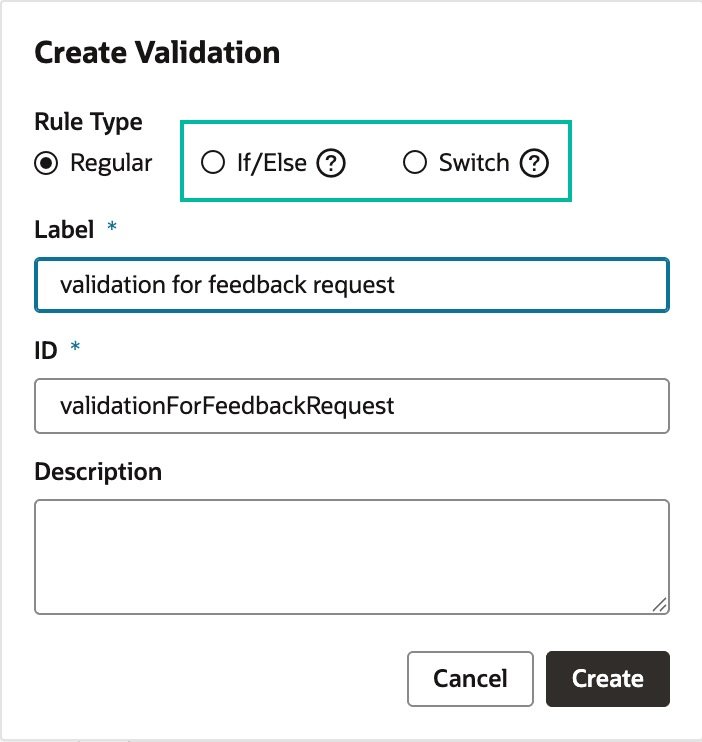
Click + Validation to create a new rule. Provide a Label and ID for your validation rule.
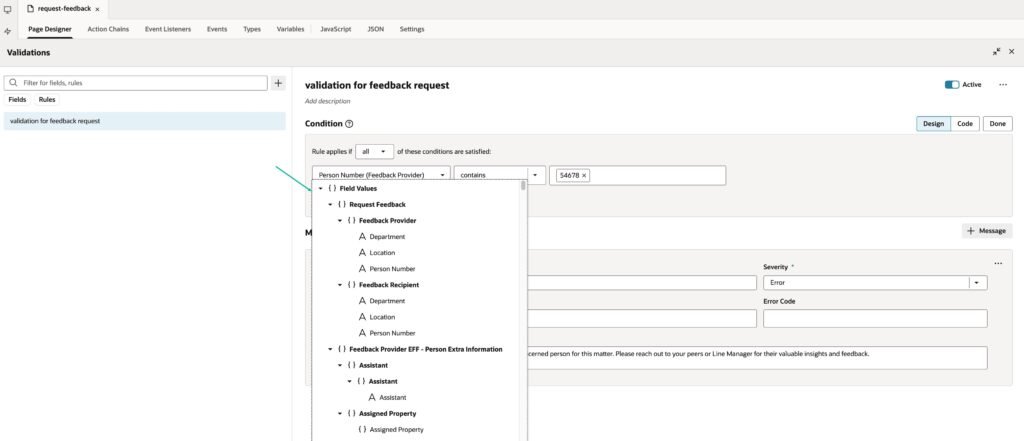
Step 3 — Write the Condition
Define the condition that triggers the validation. Select the field you want to check — in this example, Feedback Provider Person Number — and configure it to check against your list of excluded Person Numbers.
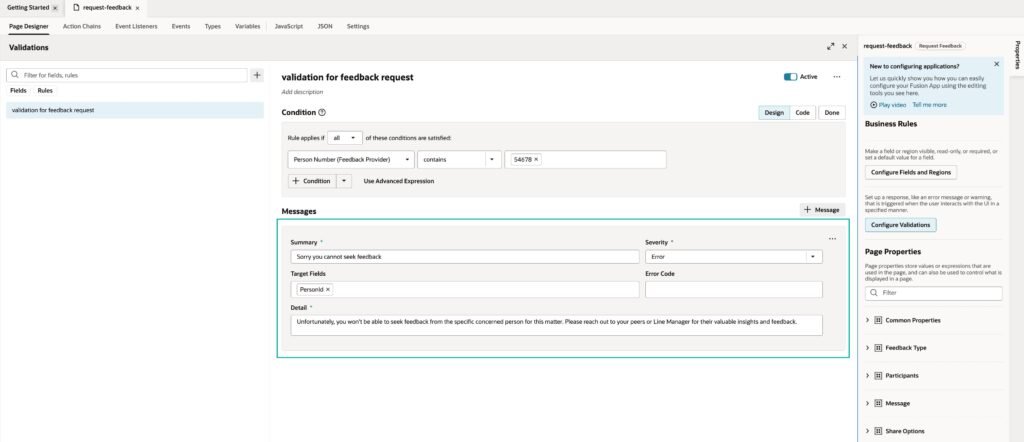
Step 4 — Configure the Message
Define the message displayed to the user when the condition is met. Set the severity to either Warning — the user sees the message but can proceed — or Error — the user cannot complete the transaction until the condition is resolved.
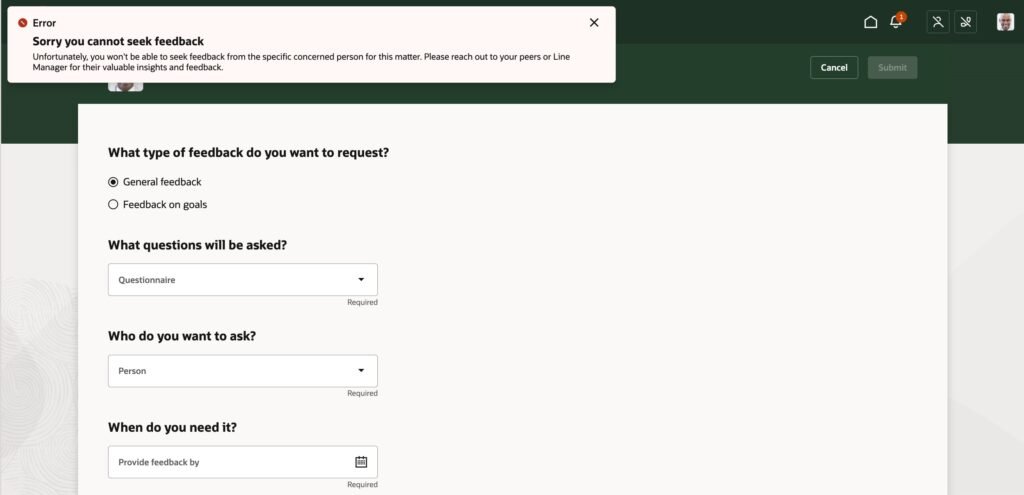
The user will see the message as configured when the validation condition is triggered.
Data validation rules can also be written using if-else and switch logic for more complex validation scenarios.
Visit our Events page for upcoming Oracle Fusion Cloud sessions and live demos.
Nizam Mogal
Enterprise Applications Architect | Oracle ACE Pro
Nizam Mogal
Enterprise Applications Architect | Oracle ACE Pro
Nizam brings over 20 years of global experience delivering Oracle enterprise solutions. He specialises in Oracle Fusion Cloud across HCM, ERP, Help Desk, Case Management and Fusion Service, with a successful track record of implementing both Redwood and Classic UX for HR and Finance in global enterprises.
With deep product expertise, Nizam provides strategic insight and hands-on experience to ensure implementations are aligned to each organisation’s unique service model and operational goals.