The My Help app in Oracle Help Desk allows employees and managers to view and track their service requests under the View My Requests section. You can configure the listing and filtering options you want to provide to them.
Listing — View My Requests
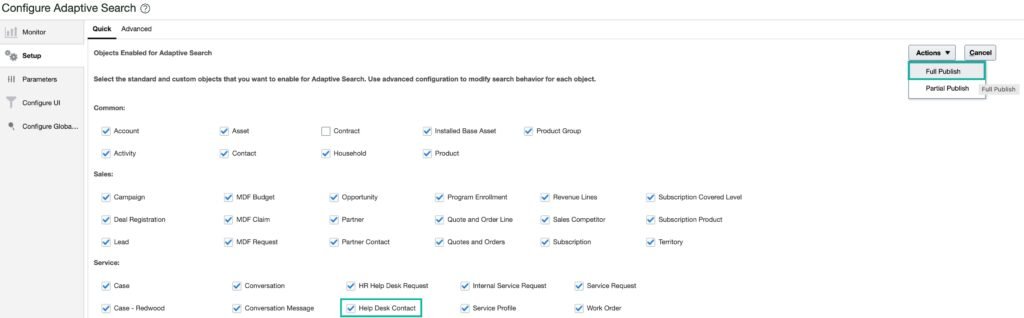
To allow employees to view their own requests in the My Help app, Help Desk Contact must be enabled in Adaptive Search. Without this configuration, employees will not see their requests in My Help.
Navigate to Setup and Maintenance
Search for and select Configure Adaptive Search
Under the Service section, ensure Help Desk Contact is ticked
Select Full Publish from the Actions dropdown
Click Publish
Filtering Options — View My Requests
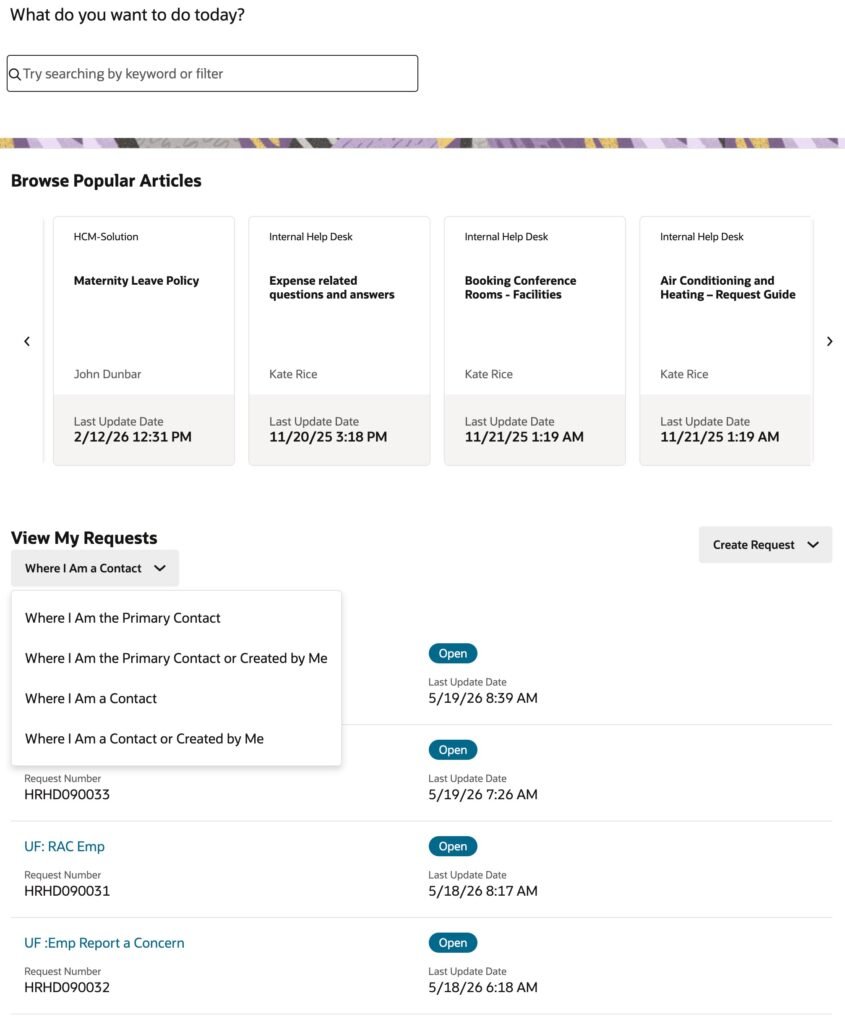
By default, View My Requests shows requests where the employee or manager is the primary point of contact or created by them. You can change this default to one of the following options:
Value
Description
Where I Am the Primary Contact
Shows requests where the employee or manager is the primary contact only
Where I Am the Primary Contact or Created by Me
Shows requests where the employee or manager is the primary contact or created the request
Where I Am a Contact
Shows requests where the employee or manager is listed as any contact
Where I Am a Contact or Created by Me
Shows requests where the employee or manager is any contact or created the request
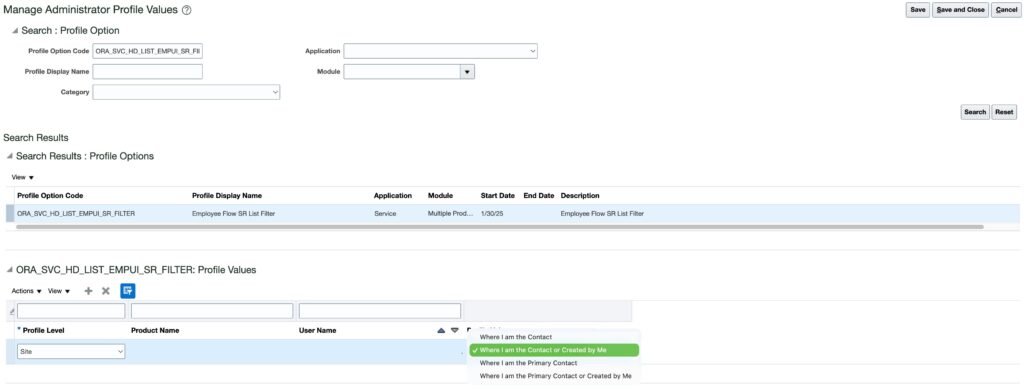
To change the default, set a value for profile option ORA_SVC_HD_LIST_EMPUI_SR_FILTER:
Navigate to Setup and Maintenance
Search for and select Manage Administrator Profile Values
Search for profile option code ORA_SVC_HD_LIST_EMPUI_SR_FILTER
Set the profile value to your preferred option
Click Save and Close
Once the default filter option is set, employees and managers can also select from the other filtering options listed above, provided their access to those View My Requests listing options has been configured.
Nizam Mogal
Enterprise Applications Architect | Oracle ACE Pro
Nizam Mogal
Enterprise Applications Architect | Oracle ACE Pro
Nizam Mogal is an Enterprise Applications Architect with over 20 years of global experience delivering Oracle enterprise solutions. He specialises in Oracle Fusion Cloud across HCM, ERP, and Fusion Service, with a track record in Oracle Help Desk, Case Management, HR and Finance service delivery.
With deep product expertise, Nizam provides strategic insight and hands-on experience to ensure implementations are aligned to each organisation’s unique service model and operational goals.